- Figure Out What Type of Motherboard You Have
- Check for Compatibility for The CPU and Other Computer Parts
- Which One to Buy
- Check If The CPU You Picked Upgrades Performance
- Where to Buy
- Check if The Motherboard Bios Is Updated for New CPU
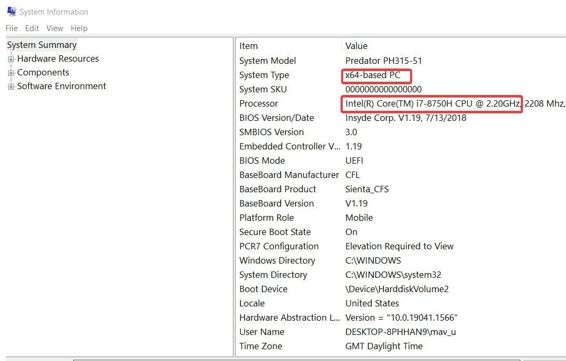
Before buying a new CPU part for your computer, figure out what type of motherboard you own on the computer. Depending on the type of motherboard you currently own, some CPUs will show compatibility and others will not. To figure out the motherboard use the windows key and search for system information. Then look for the baseboard manufacturer and product to know what type of motherboard you own and which company made it.
There are many sites to help show compatibility for computer parts. Pcpartpicker can show the compatibility and also compares prices. Search up the motherboard that you own and then afterwards lookup on the CPU sections. It will then show all the compatible products that work with the motherboard. Also if you want to upgrade other computer parts this site will also list the parts too. Asrock will also show compatible CPUs for the motherboard. Search up the motherboard type and click on it. You want to click on support and then click CPU specification to the list of CPU that are compatible.
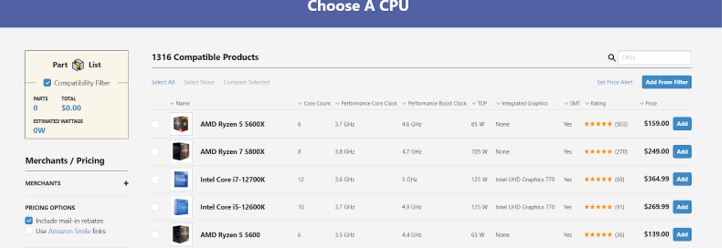
To pick the right CPU from the list, think about how much you want to spend. Do you use the computer for intensive work like editing or using many programs? The more cores on a CPU will improve performance. Do you want one with integrated graphics if your computer does not have a graphic processor? PCpartpicker will show the cores and whether they include integrated graphics or not.

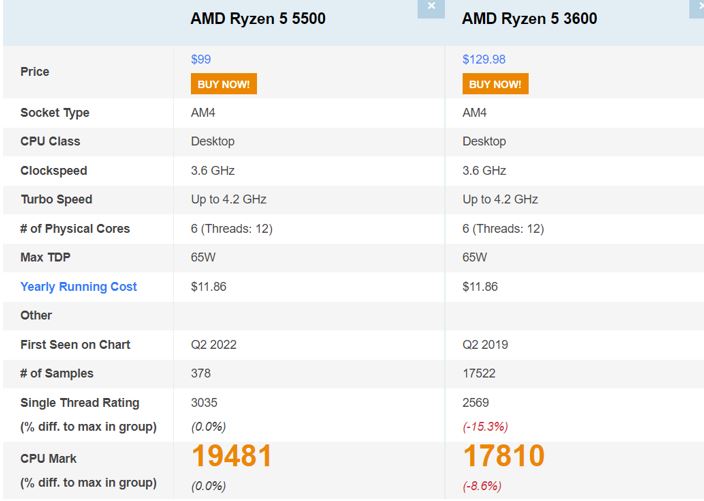
Go to cpubenchmark.net and search for your old CPU and the one you want to buy. It will allow us to compare and show the differences in the products. The higher CPU marks state the better performance in general.
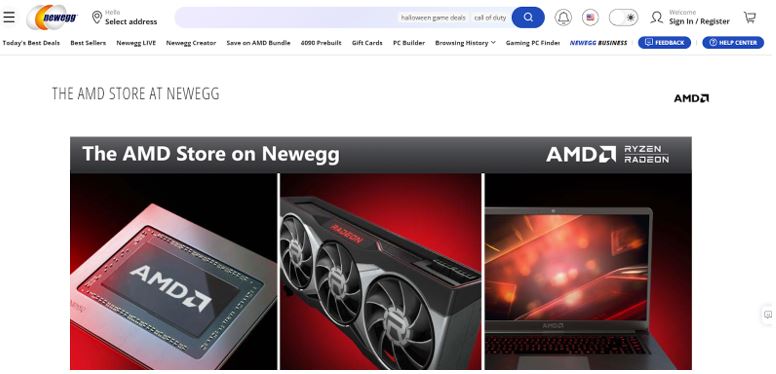
Check on the manufacturer website to see if they list the CPU you want. For the AMD website they only offer the latest one. To find the CPU you want to buy, focus on stores that sells computer parts. Check on online and search for these computer parts stores near you and will sell the part you need. Online retail stores also sell more CPU parts. Best Buy, Amazon, Newegg, and many other reliable sites will include many CPUs and other parts to buy.
Warning
Make sure the third party site that sells the computer parts are reliable. Some sites will scam the user and send fake or third party parts. For example if you are buying from Ebay sometimes people will send fake parts instead. You should check on the user information and any comments mentioned about them. If the comments mentions many negative infomation then avoid buying. Also if the price of the CPU you want to buy seems too good to be true then it would be best to avoid it. Reddit or other forums will show people talking about where to shop and will include good suggestions with purchases.
Depending on the motherboard and the type of CPU the bios on the motherboard might need to update. The best suggestion to get the bios would be to research about the motherboard and how to get to it. Every computers different so the methods will vary. Also before accessing the bios, download the necessary files and unzip onto a flashdrive first. Some bios have the ability to update via the internet but for older ones they might not have this option. Watching youtube videos will help the user understand what to do. Youtube include examples of demonstrating the process of updating the bios for the new CPU.