Definitions
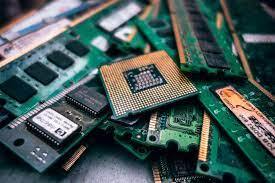
CPU / Processor: CPU abbreviates central processing unit, the computing part of the computer. Also called the "processor," the CPU is made up of the control unit, which executes the instructions, and the ALU, which performs the calculations and logical operations.
Bottlenecking: refers to when one component caps PC's performance where the rest of the system would be capable of performing better if this one component were upgraded.
E-Waste: The term "e-waste" abbreviates "electronic and electrical waste". E-Waste describes items of all types of electrical and electronic equipment and its parts that have been discarded by the owner as waste without the intention of re-use.
Computer Hardware: refers to the physical components that a computer system requires to function. It encompasses everything that operates within a PC or laptop; including the motherboard, graphics card, CPU, etc.
BIOS: Stands for basic input/output system. The BIOS program functions as the computer’s microprocessor to start the computer after boot-up. It also manages data flow between the computer's operating system and attached devices, such as the hard disk, video adapter, keyboard, mouse and printer.
CPU Cooler: A component that draws heat away from a CPU chip and other hot-running chips such as a graphics processor.
Questions and Answers
Q. What is e-waste?
A. E-waste refers to electronic products nearing the end of their "useful life", for example, computers, televisions, VCRs, stereos, copiers, and fax machines. Many of these products can be reused, refurbished, or recycled.
Q. What about My Secure Data?
A. All of the data that electronic recycling companies receive in the form of hard drives, computer discs and tape will be wiped clean according to criteria set by the Department of Defense Media Sanitation.There are other methods of destroying personal information, such as shredding, crushing and magnetic degaussing.
Q. When is the right time to recycle used electronics?
A. It is recommended that you recycle or dispose of old electronics as soon as you upgrade to a newer model or equipment. Many people tend to wait for a long time and end up with a pile of gadgets that no one can use. By recycling them quickly, you can prevent more e-waste from ending up in landfills.
Q. Does an electronics recycler need to be certified?
A. Yes, it is important to check for certifications from eWASA. EWASA membership is one way to know your e-waste recycler is trustworthy. They provide guidance for responsible and eco-friendly practices that e-waste recyclers should follow. Since electronics are difficult to break down and have chemicals that need to be disposed of safely, businesses or facilities must follow proper measures.
Q. Is there a cost for recycling electronics?
A. Sometimes, you may have to make a small payment for recycling used electronics. Companies that manage toxic e-waste can charge a fee to collect it and prevent the chemicals from leaking anywhere. Printers, old televisions and appliances that are a threat to the environment are challenging to recycle. They require expensive equipment and safe transportation, which is why you might have to pay to dispose of them.
Q. Who can I call?
A. Here are a few good websites with companies willing to recycle for you!
https://destruction.grace.com.au/e-waste-destruction/
https://www.techwasterecycling.com/faqs-for-ewaste-recycling/